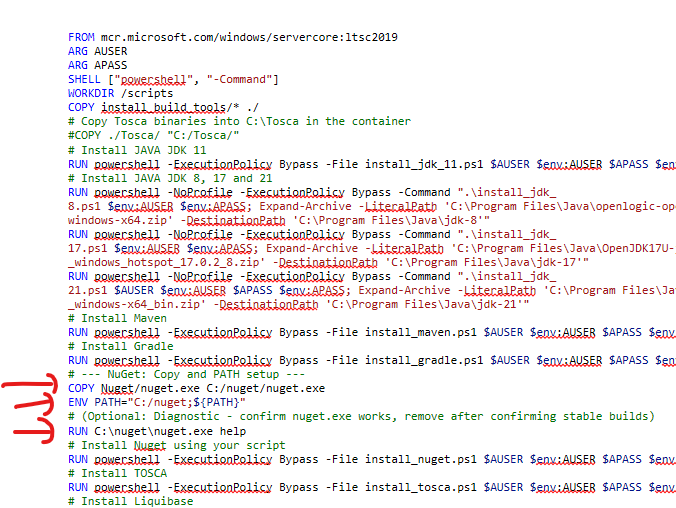
FROM mcr.microsoft.com/windows/servercore:ltsc2019
---

# Install Nuget
RUN powershell -ExecutionPolicy Bypass -File install_nuget.ps1 $AUSER $env:AUSER $APASS $env:APASS
# Add NuGet directory to PATH so nuget.exe is available globally
ENV PATH="C:\\Nuget;${PATH}"
error:
 ---> Removed intermediate container ff7c004d404e
 ---> 474144e9c8d3
Step 16/36 : ENV PATH="C:\\Nuget;${PATH}"
 ---> Running in afc768d2ddc7
 ---> Removed intermediate container afc768d2ddc7
 ---> 726275079c69
Step 17/36 : RUN powershell -ExecutionPolicy Bypass -File install_tosca.ps1 $AUSER $env:AUSER $APASS $env:APASS
 ---> Running in 99d32ab4ce4c
container 99d32ab4ce4cf7cb8f67f8b775c5ce92beee8a8de0428471df11a91ada1ecf94 encountered an error during hcs::System::CreateProcess: powershell -Command powershell -ExecutionPolicy Bypass -File install_tosca.ps1 $AUSER $env:AUSER $APASS $env:APASS: failure in a Windows system call: The system cannot find the file specified. (0x2)
Why do you think it is a variable issue. The error message says nothing about missing variables, only a file not found, but it is a powershell command. So you should figure out which file is missing. Have you tested if the variable has the right value?
If one command is working and the other is not, the one that is not working is probably wrong. As I mentioned, you need to figure out which file is not found. but since you say nuget runs without issues, my bet is on not finding the powershell script which we don’t know where it should be, because that part was not shared.
Of course, if you share a Dockerfile and run another (as @cavo789 noticed), that will make it hard to recognize anything, so please make sure you always share what you are actually doing
I meant PATH that you set in the Dockerfile, but checking any variable that you would need is also a good idea.