So I have a dockerfile that contains the code:
ARG git_personal_token
ENV git_personal_token $git_personal_token
RUN git clone https://crooksey:${git_personal_token}@github.com/crooksey/myrepo.git
(The ENV # line is not required locally, but have added as some Docker guides suggest its required, still fails with same reasons.) I can also try using $git_personal_token without the {} and again works locally, not on dockerhub.
I then build my Dockerfile locally with:
$ docker build -t mycontainer:v0 . --build-arg git_personal_token=ghp_MYPERSONALACCESSTOKEN
This works fine on a few local machines, but the code in Dokcerhub causes the error:
#20 [ 9/17] RUN git clone https://crooksey:${git_personal_token}@github.com/crooksey/myrepo.git
#20 0.370 Cloning ...
#20 1.361 remote: Invalid username or password.
On my dockerhub build settings, I do have “git_personal_token” in my build environment variables.
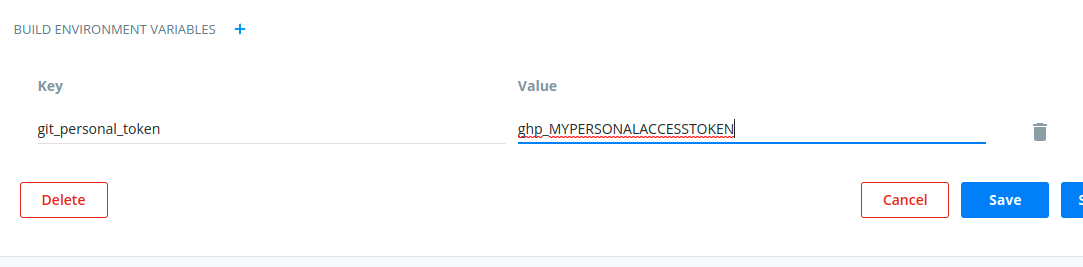
This does not work, but If I update the Dockerfile to include a hard-coded access token, it builds correctly.
RUN git clone https://crooksey:ghp_MYPERSONALACCESSTOKEN@github.com/crooksey/myrepo.git
Seems very strange and I can’t work out why this might be, could my builds somehow be ignoring my build environment variables?