Problem connecting to phpmyadmin database from website

I managed to get some docker containers running with phpmyadmin, and mysql (see one of may other posts here).
Now I have a strange problem that I can not get around. I can log in fine into phpmyadmin and even create new databases and users (although there are some errors thrown when changing user rights).
Also have been able to connect a TYPO3 CMS instance (website) to the database.
Now I needed to set up a new TYPO3 instance and I can not connect to the database(phpmyadmin) from the newly created TYPO3 install.
I tried all difference approaches and even created a fresh database and user for it. The last time I set this up, it went fast and easy, after finding out the right “host” to connect to. Now it is slow and not connecting and showing error messages which I do not quit understand.
So what could be wrong here? How to determine what the error means and how to solve this?

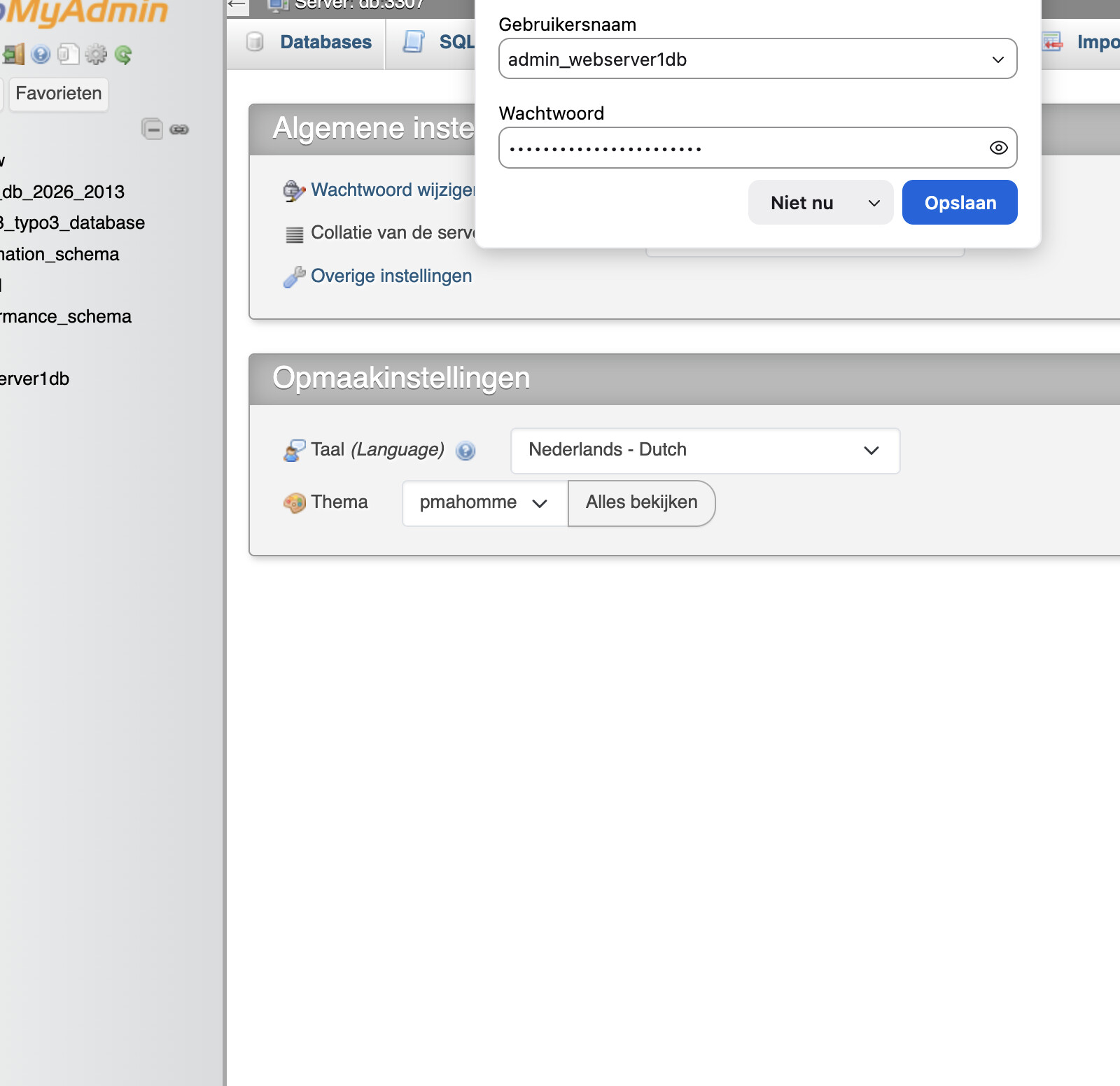
This is what I get when accessing (with the same host ip settings which used before which was working ). As mentioned if directly log in the db it is working?


Looking in phpmyadmin If I create a new user I can select one of these settings. What would be the best setting
there? I normally have selected every host here.

We need your help in order to be able to help you.

We need to understand how you created the existing working environment, and how you crated the new typo instance. Please share the exact docker run commands, or if docker compose was used the content of the compose file. If neither of both was used, then we need to see the output of docker inspect for the containers and the used network.

Thanks for you reply, I’m using Portainer for managing the containers. I have made a paste for the Inspect bit large to post here I guess.

you can see them here:

You might want to delete shared files and only share the json structure for those:

    .Config.Labels
    .NetworkSettings

Though, on first glance it didn’t look like you accidently leaked secrets. You leaked the password.

The first one tells me whether the container is part of a compose project (which it is), the second tells me in which networks the container is attached, and what Ip it has there.

You did not share anything about the typo3 instances (the one that works, the one that doesn’t work)

Update: the two shared inspects, show that both containers are in the same compose project (If I remember right Portainer calls those stacks - which is the wrong wording for compose projects), of course those can communicate with each other.

I did not include the real password. And the ip are intern but I will remove the link. Where can I find the json? You mention?

About typo3 it is just as every php code just connecting to the database nothing fancy. Yes they are in the same Stack.

so here is what you mentioned I hope :slight_smile:

 'DB' => [
        'Connections' => [
            'Default' => [
                'charset' => 'utf8mb4',
                'defaultTableOptions' => [
                    'charset' => 'utf8mb4',
                    'collation' => 'utf8mb4_unicode_ci',
                ],
                'driver' => 'mysqli',
                'host' => ‘my.special-server.com:8080',
                'password' => ‘pass_ww ,
                'port' => 3307,
                'user' => 'admin_ ',
            ],
        ],
    ],
Labels:{
com.docker.compose.config-hash:"c6d727da2220438feb60f0e4e71faef65c08ddb4ae8c43087d44736f8bcf755c",
com.docker.compose.container-number:"1",
com.docker.compose.depends_on:"",
com.docker.compose.image:"sha256:bb21c581c0137432cd1553b8a1fe314525828eb04c70be1c77f37e3a2542091c",
com.docker.compose.oneoff:"False",
com.docker.compose.project:"mysql_version_8",
com.docker.compose.project.config_files:"/data/compose/1/docker-compose.yml",
com.docker.compose.project.working_dir:"/data/compose/1",
com.docker.compose.service:"db",
com.docker.compose.version:""
},
NetworkSettings:{
Networks:{
mysql_version_8_default:{
Aliases:[
"mysqlV8",
"db",
"12330451d16f"
],
DNSNames:[
"mysqlV8",
"db",
"12330451d16f"
],
DriverOpts:null,
EndpointID:"d1fd2214cdeec209b7157b1691ad569fdc84ed28bda0b10f000d705a1fa2d144",
Gateway:"172.18.0.1",
GlobalIPv6Address:"",
GlobalIPv6PrefixLen:0,
GwPriority:0,
IPAMConfig:null,
IPAddress:"172.18.0.2",
IPPrefixLen:16,
IPv6Gateway:"",
Links:null,
MacAddress:"big mac with fries",
NetworkID:"the id was here"
}
},
Ports:{
3306/tcp:[
{
HostIp:"0.0.0.0",
HostPort:"3307"
},
{
HostIp:"::",
HostPort:"3307"
}
],
33060/tcp:null
},
SandboxID:"a0033ad3d261a8c8e51461b1bc8d62ad45be9bdb2d81ce1fa50c0f3425872a6a",
SandboxKey:"/var/run/docker/netns/a0033ad3d261"
},
Labels:{
com.docker.compose.config-hash:"612e27807cfdd8526ead74f20c958dba220b9b0e32c9c6e9a9d39f883b198061",
com.docker.compose.container-number:"1",
com.docker.compose.depends_on:"db:service_started:false",
com.docker.compose.image:"sha256:42a200db07b4e70fbf32c594ad4521cf16399b8e54bbb5adceae98e7566dfbeb",
com.docker.compose.oneoff:"False",
com.docker.compose.project:"mysql_version_8",
com.docker.compose.project.config_files:"/data/compose/1/docker-compose.yml",
com.docker.compose.project.working_dir:"/data/compose/1",
com.docker.compose.service:"phpmyadmin",
com.docker.compose.version:"",
org.opencontainers.image.authors:"The phpMyAdmin Team <developers@phpmyadmin.net>",
org.opencontainers.image.description:"Run phpMyAdmin with Alpine, Apache and PHP FPM.",
org.opencontainers.image.documentation:"https://github.com/phpmyadmin/docker#readme",
org.opencontainers.image.licenses:"GPL-2.0-only",
org.opencontainers.image.source:"https://github.com/phpmyadmin/docker.git",
org.opencontainers.image.title:"Official phpMyAdmin Docker image",
org.opencontainers.image.url:"https://github.com/phpmyadmin/docker#readme",
org.opencontainers.image.vendor:"phpMyAdmin",
org.opencontainers.image.version:"5.2.3"
},
NetworkSettings:{
Networks:{
mysql_version_8_default:{
Aliases:[
"phpmyadmin8",
"phpmyadmin",
"d43352a8b035"
],
DNSNames:[
"phpmyadmin8",
"phpmyadmin",
"d43352a8b035"
],
DriverOpts:null,
EndpointID:"029999cd07d6546c02d1759bb7cc7719a22cc997e286a38ba709e7fa19378bd6",
Gateway:"172.18.0.1",
GlobalIPv6Address:"",
GlobalIPv6PrefixLen:0,
GwPriority:0,
IPAMConfig:null,
IPAddress:"172.18.0.3",
IPPrefixLen:16,
IPv6Gateway:"",
Links:null,
MacAddress:"no big mac adddres here",
NetworkID:"show me your id"
}
},
Ports:{
80/tcp:[
{
HostIp:"0.0.0.0",
HostPort:"8080"
},
{
HostIp:"::",
HostPort:"8080"
}
]
},
SandboxID:"here some id",
SandboxKey:"/var/run/docker/netns/c9056d54d4d9"
},

This was the config- typo which has been working previous. no longer on line so can not test this.

'DB' => [
        'Connections' => [
            'Default' => [
                'charset' => 'utf8mb4',
                'dbname' => 'dev13_typo3_database',
                'defaultTableOptions' => [
                    'charset' => 'utf8mb4',
                    'collation' => 'utf8mb4_unicode_ci',
                ],
                'driver' => 'pdo_mysql',
                'host' => '172.18.0.2',
                'password' => 'the unknow password secret',
                'port' => 3307,
                'user' => 'admin_user_secret',
            ],
        ],
    ],

If I use these setting in the typo3 cms I try to create new it says:

Database connect not successful
Connecting to the database with given settings failed: An exception occurred in the driver: Access denied for user 'admin_user '@'172.18.0.1' (using password: YES)

why 172.18.0.1 and not 172.18.0.2 ?

Seems you already found out, I was referring the docker inspect json output. But It seems you extracted the information I asked for from the two inspects you shared before.

I assumed each of your typo3 instances would be running in their own container. I want to see their inspects.

If typo3 is running on the host, then your database container must publish the container ports to container ports (you can pin the published host port to one of the host interfaces, preferably one that is not reachable from outside the host, like 127.0.0.1) AND your typo3 instance must use localhost:<pusblished host port> to access the containerized database.

It is the ip of the container networks gateway. It seems your admin_user is either not granted to access from that ip, or the password might be wrong. If you would have published the host port, and used the published host port, the connection would be 'admin_user '@‘127.0.0.1’, and you wouldn’t have this problem.

The typo3 sites are on the same server but not in the same docker container. They are in there own apache2 vhosts. So the need to connect to the docker container as mentioned in you post. Tried all possible combinations but not getting connected.
I can log into phpmyadmin fine from a web browser (my.server-adres:portport) So would think this should be the same for the typos cms in the vhost on the server?
So now I’m a bit lost… What can I do best. Or remove all and start over again. Or can I edit some parts of the stack container?

I am confused. Are the typo3 sites running in containers? If so, please share their inspect output.
OR is apach2 running on the host, and you just configured different vhosts per typo3 site?

It is crucial to understand how things are configured, because different scenarios require different solutions.

We have no idea what it actually means. We can not guess what you did and what didn’t work and what error message you go.

At this point there are still too many things unclear to give you a good answer that solves your problem. Most likely the fix will be simple, once we understand the full picture.

I’m also confused for multiple reasons. For examle why the last post of @mrtypo3 was marked as solution when it is still a question.

And I find almost all shared details confusing.

The host already contains the web port, and I would assume it was just a copy-paste + domain hiding mistake, but the same mistake can be seen on the first screenshot in the first post.

t looks like you set a specific container IP as host for the user, but container IPs can change, so tht is not a good idea. I haven’t used PHPMyadmin for a long time, but I’m not sure if th quotation mark is needed in the host field. If you want to be sure that the server is accessible from everywhere, you can add "%". If I remember correctly, quotation mark was required for this character when using in an SQL query, but not sure about the GUI.

If you set a specific container IP, the added user can access to the database server only from that host The % character can be used as wildcard. You coild also allow a /24 subnet like this: 172.18.0.%. You can create multiple users with different privileges, so a single user doesn’t have to be able to access the server from everywhere.

I haven’T had to configure MYSQL for a while, but I remember it was difficult to set the right host or host pattern when using containers, soI think I allowed all hosts and I dealt with access rights on network level. For example I Used "%" fo the host, but I did not publish the MySQL port for remote conections. I only access the server from localhost even when I needed it from my machine. I just used SSH tunnel to forward my request to the container through SSH. I also usd dedicated mysql docker network in my compose file and added the mysql network to each service in each compose file from which the MySQL server had to eb available so all connection cam from the same network

This way I had an admin user that was allowed to access the DB only from 127.0.0.1, and other used for all projects that were allowed to access the server on the network of the MySQL server. The network itself doesn’t change easily, but the container IP can when recreating

@meyay already answered but for me it looks like the mysql client (PHP) and the mySQL server is not on the same Docker network, ao the request goes through the gateway. Since compose projects hav their own network and they cannot communicate with eachother (and I always forget how it eaxactly works when I don’t test it frequently), I think it just shows the client uses a forwarded port into the container fro a loopback IP or the client directly tries to connect to the container IP and port from localhost. When you try to access the container on a port forwarded from the LAN IP to the container, you will see a LAN IP, not container gateway,

So

  • 172.18.0.2:3306 from a container in the same container network will be seen from MySQL as coming from the client container IP.
  • 127.0.0.1:3307 will be seen from MySQL as connecting from the container network gateway
  • 172.18.0.2:3307 will be seen from MySQL as connecting from the container network gateway
  • LAN_IP:3307 will be seen from the container as connecting fro the actual IP that the client machine has

Thanks for the replies. To make clear how it should work I made a drawing to explain.

So all are on a vps (server) which is the host for apche2 and serving many vhosts for domains. Since I needed a higher version for mysql besides the one already on the vps, I created the stack with mysql and phpmyadmin.
The Vhost running TYPO3 cms must be able to connect to the dbase and remote there must be access to phpmyadmin.

As far as I can see there is a bridge between host (vpn) and phpmyadmin on port 8080 connecting to the mysql server at port 3307.
I can access from the remote pc into phpmyadmin fine. So normally I would expect that the VHOST running the php to connect to mysql can connect as well. I’m not sure where or what the mistake is I make when giving access from php?


You published host port 3307 for the container port 3306 of your mysql container. I strongly recommend to make sure to bind the container port only to 127.0.0.1:3307, otherwise the whole world would be able to connect to the mysql server (they probably won’t be able to authenticate against it).

Your typo sites should use localhost:3307 to access the containerized mysql database.

@all thanks for your feedback. Still did not manage to get it working. Strange thing is still, I can get into phpmyadmin and can manage dbases and users no problem.

So, made sure I have a dbase (localhost) with an appropriate user, etc. Tried to log in using that user from both the TYPO3 install screen, and into phpmyadmin.

this is what I get when login in into phpmyadmin:

mysqli::real_connect(): (HY000/1045): Access denied for user 'db_2026_2013'@'172.18.0.3' (using password: YES)

this is what I get when login in from TYPO3 install page:

Database connect not successful
Connecting to the database with given settings failed: An exception occurred in the driver: Access denied for user 'db_2026_2013'@'localhost' (using password: YES)

Would it be better remove the phpmyadmin container from the stack and add a new stack with a phpmyadmin container which is not in this stack?

Let me quote the list of use cases I shared in my previous post.

So when you connect to the database through a port forward on localhost, MySQL won’t see “localhost” but the gateway IP so you will not be allowed to log in.from Typo3.

I know @meyay recommended localhost

And that could work, but my test showed that it would work only if you creted a user in MySQL that is allowed to log in from the Docker gateway IP.

I also mentioned that I used a user with localhost, but it was logn time ago, so sorry if I confused you with that. Since the port forward forwards ports to the containr IP, it is like connecting to the container IP from the host which also detected as connecting from the Docker gateway IP.

So you will need to create a user that is allowed to log in from the Docker network’s IP range like 172.18.0.%, or use `‘%’ to allow it from everywhere. Sicne it is not a publicly available endpoint, nobody will be able to access it unless the client is in the same docker compose project (or same docker network)

That is normal, since PHPMyADmin as a PHP app tris to connect from a container in the same Docker network in the same compose project, so you see the exact container IP. Which is still in the range of 172.18.0.% so that host pattern should work for everything.

If you want more restricted access, you could crate share a folder between the host and MySQL where MySQL can save its socket file and you could connect to MySQL using that socket. I think that would be the only way for MySQL to see your connection coming from “localhost” and you could create a user@localhost user for MySQL admin, while the other user would still use TCP socket (IP address and port) and the user@172.18.0.% could have restricted access without admin privileges. That would mean not even “phpmyadmin” have that admin right unless you can configure PHPMyADmin to also mount and use the MySQL socket.

I removed the “solution” flag from the post it was added to as that was clearly not the solution. and an already solved topic looks like it doesn’t require more attention.

@mrtypo3 please, use the solution button again on the right post when your issue is actually solved. Thank you!

This topic was automatically closed 30 days after the last reply. New replies are no longer allowed.