@kerrykimrusso @dominikvpb @kliiva @emmaguyot @shawnlong636
Hi guys!
I’m new to Docker and recently switched to it for local web development on Windows 11. I’ve encountered the same errors you described in this topic. I also created another thread on this forum seeking help to resolve it. I tried all the steps you described in your replies here:
1. I added the following to my Docker Compose file:
extra_hosts:
      -  "host.docker.internal:127.0.0.1"

After modifying the .yml file, I executed the following commands to rebuild the container while preserving the WP core files:
docker-compose -f compose.yml down

docker-compose -f compose.yml up -d
BTW, are these commands correct? Or should I use different ones if I want to preserve all the WP core files?
2. I added the following to Apache’s ports.conf file at /etc/apache2/ports.conf:
Listen 80 # This port already was there
Listen 8080 # The new port which I added

3. I added the following code to /etc/apache2/sites-available/000-default.conf:
<VirtualHost *:80 *:8080> # Appending new port inside VirtualHost tag
# Contents inside VirtualHost tag are unchanged
</VirtualHost>
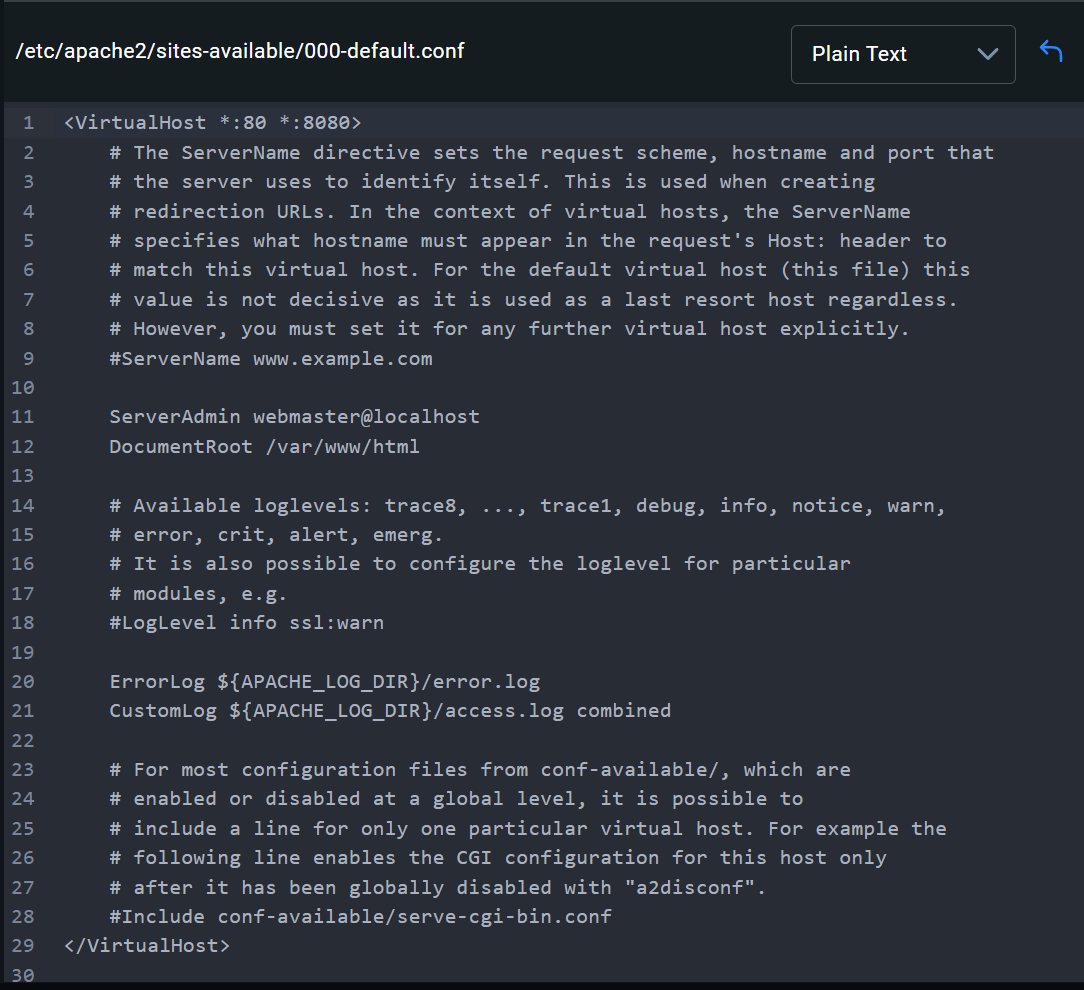
Results: After all of this, the container on Docker just doesn’t start up. It works for 1-2 seconds and then goes down… here is a gif I’ve recorded:

PS: I am using the standard http://localhost:8080/ URL to reach the WP admin panel and website in the browser.
Please help! What am I doing wrong here?