can any one help to resolve this issue

Suggestion: If you try to choose a descriptive title, you don’t just have a bigger chance to get replies, but the forum can automatically inform you about a similar existing topic. in this case:
For more help, please, share mor einfo about what you did before the error message exactly.Have you also tried to click on the “skip” button? Do you have an Ubuntu distro at all?
This should show the distro names
wsl -l -v
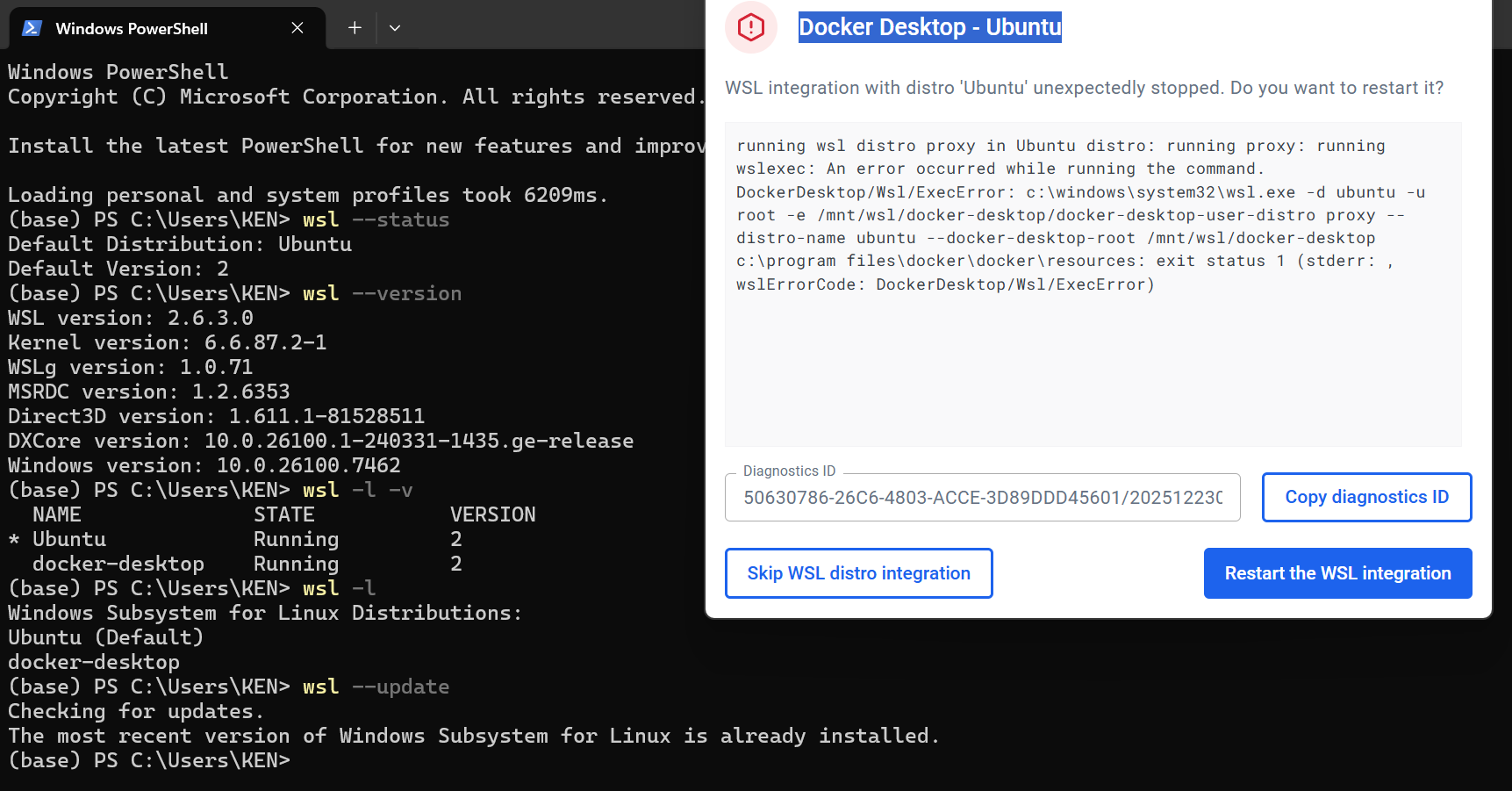
You guys didn’t happen to use one of these command before the error was raised:
wsl --shutdownwsl --terminate Ubuntuwsl --t Ubuntu
Or executed a command inside the distribution that made it stop?
If the Distribution is stopped, or restarted, it might be necessary to “Restart the WSL integration”.
I only recently started using Docker and WSL for Windows again after a long time, so I don’t remember exactly if I used those commands, but I’m pretty sure I didn’t. I tried restarting WSL integration by clicking “Restart the WSL integration” but the error persists. What can I do to restart WSL?
Afaik, there is no restart. The above command stops the wsl system vm (which terminates all running distros, including Docker Desktop). If you start a distro, it will start the system vm automatically.
You might want to quit Docker Desktop before stopping the system vm.
Starting Docker Desktop, will also start all wsl distros with enabled wsl integration.
I just tried it on Docker Desktop 4.55.0:
- Docker Desktops starts the distro with enabled WSL integration
- Terminate a WSL distro with enabled WSL integration
- Docker Desktop detects the integration as not working, and shows the error message
- A click on the “Restart the WSL integration” button, does not recover the situation and re-appears in a loop.
A wsl --shutdown recovers the situation (but also stops all containers if Docker Desktop was running)
Looks like a bug to me.
It seems like a hard problem, nah. Could you find there any known workaround (other than wsl --shutdown) or configuration change to avoid this loop?
Also, is this issue already tracked internally or planned to be fixed in a future release?
This is the GitHub repository where Docker Desktop for Windows are tracked: GitHub · Where software is built
There are plenty of “WSL integration problems” reported. I am not sure, whether it makes sense to create a new one issue.