I am trying to troubleshoot an issue with running Jupyter Notebook cells in my Docker environment for my final project.
Here is the main issue. I will run a cell and it will just get stuck indefinitely. When everything was functioning properly, this could take a second, but now it’s a major issue and won’t move at all. I also am not able to interrupt (as in pressing the button has no consequence).
I’m a little stressed and need to finish this for my final project and it’s my first time using Docker, so I would greatly appreciate any help. Thank you!
I have some more screenshots I wanted to post, but it will not let me. If possible, I will try to post in replies.
I’m running on Mac OS, Version 26.1. I’m not sure where to find the app version for Docker, but looking now
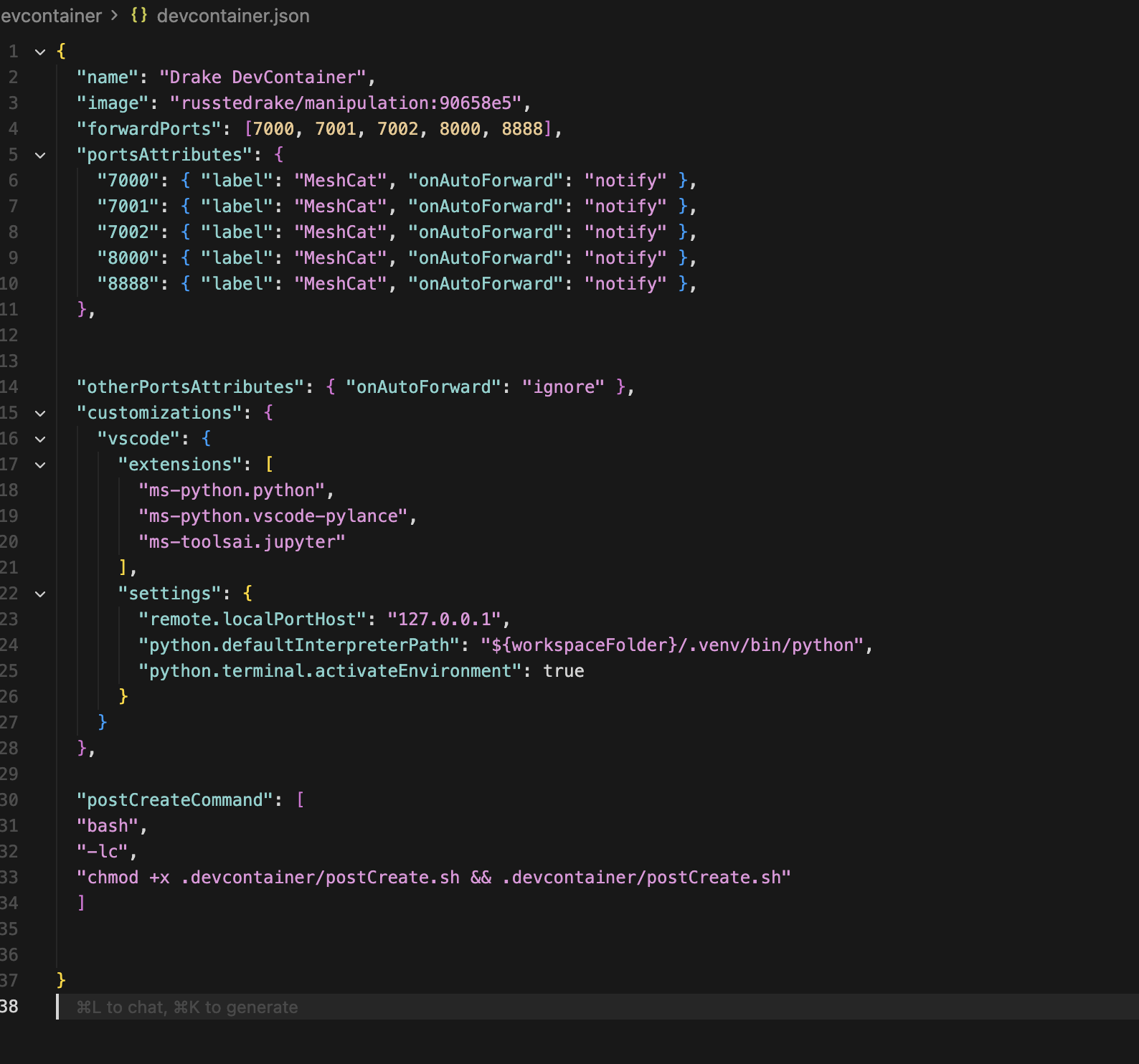
// ./.devcontainer/devcontainer.json
{
  "name": "Drake DevContainer",
  "image": "russtedrake/manipulation:90658e5",
  "forwardPorts": [7000, 7001, 7002, 8000, 8888],
  "portsAttributes": {
    "7000": { "label": "MeshCat", "onAutoForward": "notify" },
    "7001": { "label": "MeshCat", "onAutoForward": "notify" },
    "7002": { "label": "MeshCat", "onAutoForward": "notify" },
    "8000": { "label": "MeshCat", "onAutoForward": "notify" },
    "8888": { "label": "MeshCat", "onAutoForward": "notify" },
  },


  "otherPortsAttributes": { "onAutoForward": "ignore" },
  "customizations": {
    "vscode": {
      "extensions": [
        "ms-python.python",
        "ms-python.vscode-pylance",
        "ms-toolsai.jupyter"
      ],
      "settings": {
        "remote.localPortHost": "127.0.0.1",
        "python.defaultInterpreterPath": "/usr/bin/python3",
        "python.terminal.activateEnvironment": false
      }
    }
  },

  "postCreateCommand": [
  "bash",
  "-lc",
  "chmod +x .devcontainer/postCreate.sh && .devcontainer/postCreate.sh"
  ]


}

`
#./devcontainer/postCreate.sh
#!/usr/bin/env bash

# Don't exit on error - we want to continue even if some steps fail
set +e

# Install python3-venv and ensure python3 is available
apt-get update && apt-get install -y python3-venv python3-full python3-pip >/dev/null 2>&1 || true

# The manipulation Docker image already has everything installed
# We'll use system Python, but create .venv if needed for user packages
if [ ! -d ".venv" ]; then
    echo "Creating .venv for user packages..."
    python3 -m venv .venv --system-site-packages 2>&1 || true
fi

# Upgrade pip using system Python (more reliable)
python3 -m pip install --upgrade pip wheel --quiet 2>&1 || true

# Install requirements if they exist (using system Python)
if [ -f requirements.txt ]; then
    echo "Installing requirements.txt..."
    python3 -m pip install -U -r requirements.txt --quiet 2>&1 || true
fi

if [ -f requirements.user.txt ]; then
    echo "Installing requirements.user.txt..."
    python3 -m pip install -U -r requirements.user.txt --quiet 2>&1 || true
fi

echo "Post-create setup complete. Using system Python (manipulation image has everything pre-installed)."
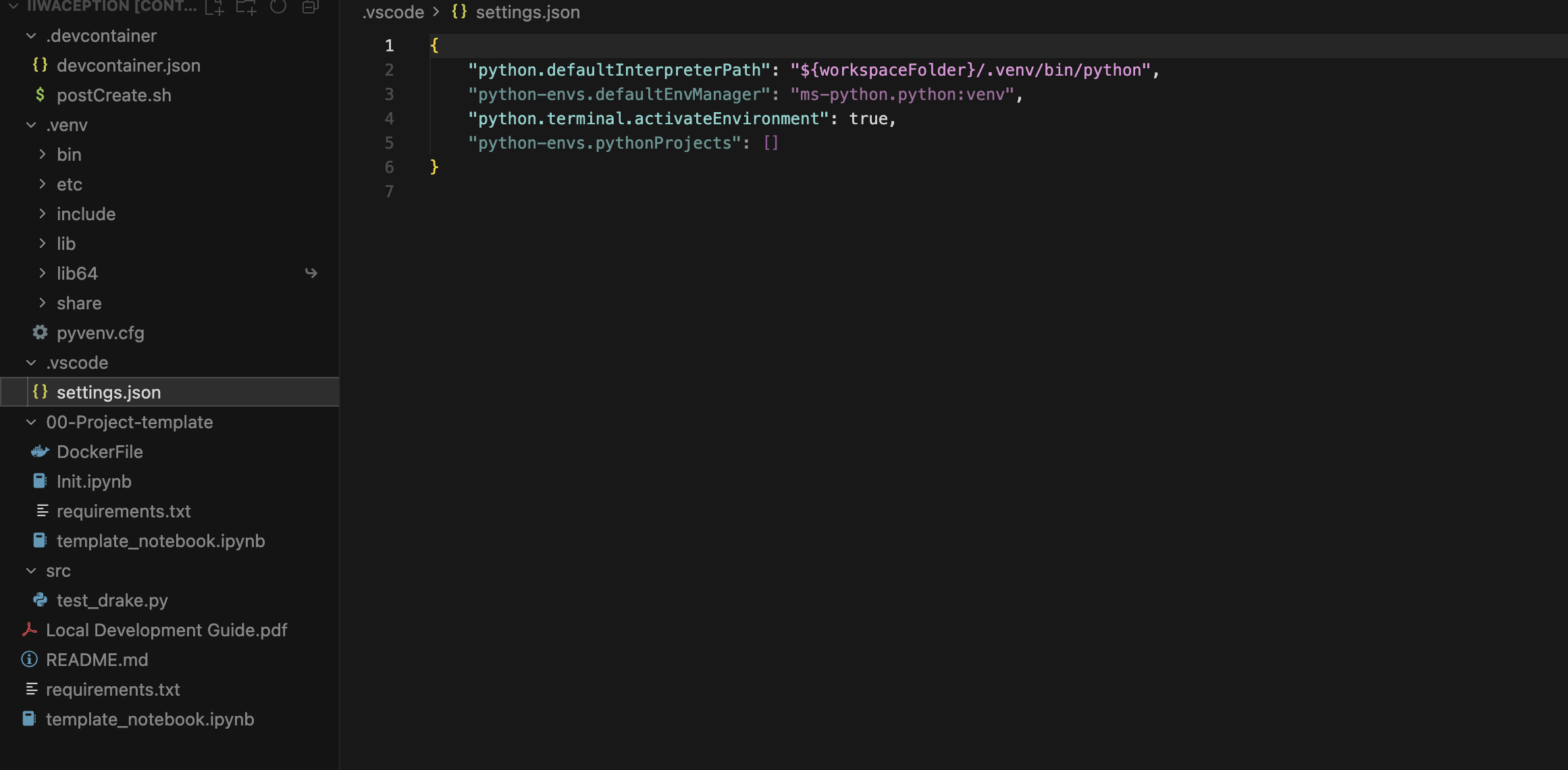
// ./.vscode/settings.json
{
    "python.defaultInterpreterPath": "${workspaceFolder}/.venv/bin/python",
    "python-envs.defaultEnvManager": "ms-python.python:venv",
    "python.terminal.activateEnvironment": true,
    "python-envs.pythonProjects": []
}
src/test_drake.py
from pydrake.all import RigidTransform, RollPitchYaw, StartMeshcat
from manipulation.letter_generation import create_sdf_asset_from_letter
import time


if __name__ == "__main__":
    print("Drake import OK.")
    X = RigidTransform(RollPitchYaw(0.1, 0.2, 0.3), [1, 2, 3])
    print("Transform:", X)
    print("Starting MeshCat… (check the VS Code Ports panel)")
    meshcat = StartMeshcat()
    time.sleep(30)
template_notebook.ipynb. This fails at the first line (import os)
import os
from pathlib import Path

import matplotlib.pyplot as plt
import numpy as np
import trimesh
from pydrake.all import (
    BasicVector,
    Context,
    Diagram,
    DiagramBuilder,
    Integrator,
    JacobianWrtVariable,
    LeafSystem,
    MultibodyPlant,
    RigidTransform,
    RobotDiagram,
    RollPitchYaw,
    RotationMatrix,
    Simulator,
    StartMeshcat,
    TrajectorySource,
)
Requirements.txt:
--extra-index-url https://drake-packages.csail.mit.edu/whl/nightly
manipulation==2025.10.6
DockerFile:
FROM russtedrake/manipulation:90658e5
Directory screenshot below