You don’t tell us what your problem is, but in PowerShell write "$(pwd):/src/app" (with double quotes). Open the settings of Docker Desktop and make sure that your drive is activated as a shared drive. If it still doesn’t work check if your firewall blocks the Docker network.
Hey thanks for responding. I can’t change any shared drives due to me having to use docker toolbox due to my computer not being a Pro or an Enterprise.
I have tried to run it, but like every other time it doesn’t seem to amount to anything.
docker run -d -p 8080:8080 -v “$(pwd):/src/app” --name color colorserver
You forgot the -v.
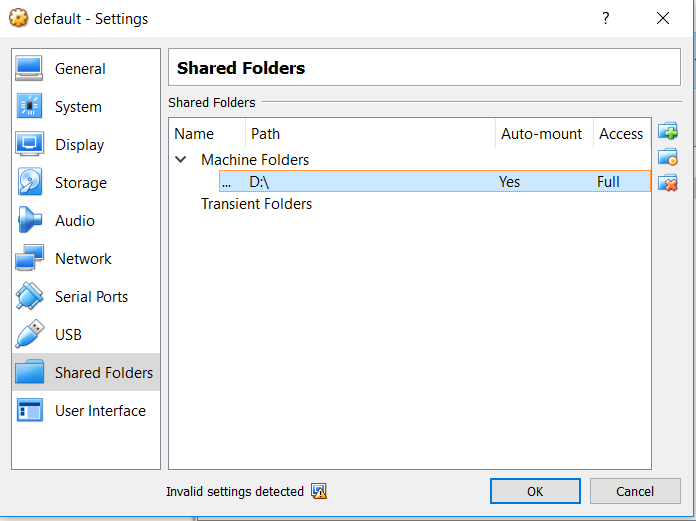
And you are on drive D:. By default only drive C: is available (for both Docker Desktop and Docker Toolbox). To get access to D: follow these instructions.
A new error is already a progress, isn’t it?
My answer is probably not sufficient for Docker Toolbox. Seems drive D: not mounted correctly (did you add drive D: itself to Virtualbox or something else?). I recommend that you isolate this problem and for example try
docker run --rm -v “$(pwd):/src/app” alpine ls /src/app