My C disk is going to be out of space, I want to install the whole docker things into my E disk. But the installment exe. set the default path to C disk. What should I do to change the installment path?
You can find the command line installation method in the documentation
https://docs.docker.com/desktop/setup/install/windows-install/#installation-behavior
--installation-dir=<path>: Changes the default installation location (C:\Program Files\Docker\Docker)
But the virtual data disk will be bigger than Docker Desktop itself, so don’t forget about the data root either
Data root and disk location
--hyper-v-default-data-root=<path>: Specifies the default location for the Hyper-V VM disk.--windows-containers-default-data-root=<path>: Specifies the default location for the Windows containers.--wsl-default-data-root=<path>: Specifies the default location for the WSL distribution disk.
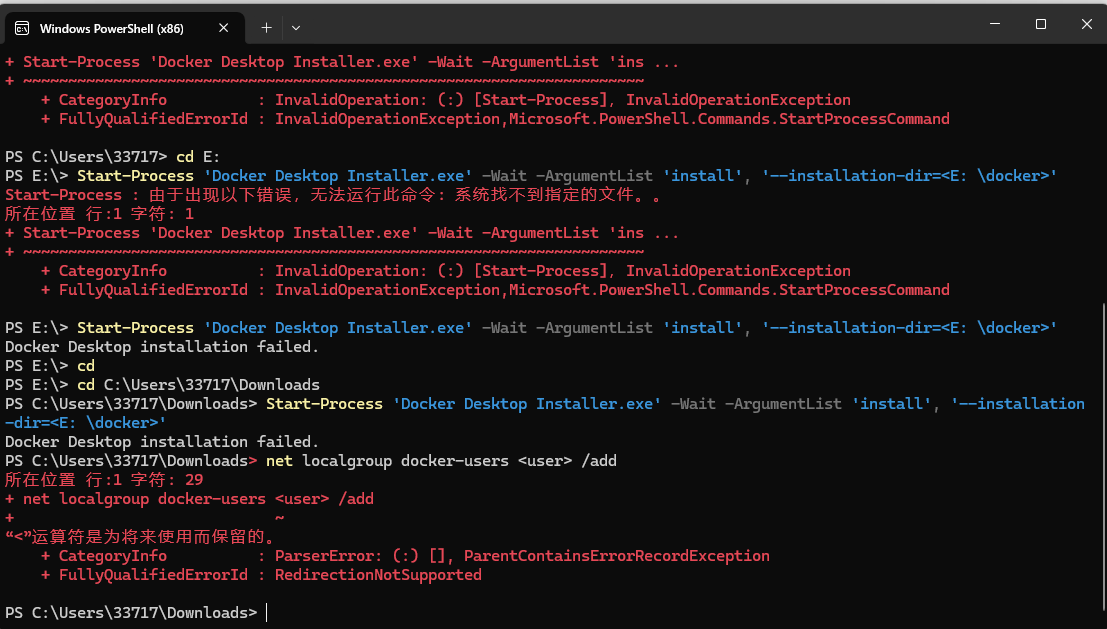
is a substitute for your path, do not enter <>.